
Keep the arrangement.
Choose one page or two side by side, select a reference tab and use 35/65, 50/50 or 65/35 pane widths. Each workspace remembers its layout after restart. Both visible panes stay awake.
THE SILL BROWSER
Meet SillMeet Glide and Workspaces. Follow the build.Sill DeskSaved layouts, project shelves and separate sign-ins.Sill WorkspacesEvery project at home. Safe tabs sleep; unfinished work stays awake.Every featureExplore the tools built into Sill.Sill GlideYour frame, only when you need it.See it in actionBrowser captures and responsive views.Get SillPortable Windows x64 beta.A compact browser for developers and people who get things done.
Explore Sill GlideMAKE ROOM FOR YOUR WORK
Sill DeskSaved layouts, project shelves and separate sign-ins.Sill WorkspacesNamed projects, intelligent sleeping and unfinished-work protection.Focus with GlideHover, pin and choose your edge.Protection & autofillWork with your saved data and fewer distractions.Developer toolkitColors, captures, Inspect and shortcuts.Choose your paletteTwenty themes. Unlimited possibilities.Named tab sets, intelligent sleeping and protection for unfinished work. Pair Workspaces with Glide to make room for the page.
Explore Sill WorkspacesGET COMFORTABLE WITH SILL
Development logFollow the build from day one.Subscribe by RSSDevelopment updates in your feed reader.Setup & helpDownload, import, update and troubleshoot.Privacy & storageUnderstand what stays on this computer.Screenshot galleryDesktop, tablet and phone website views.Beta capabilitiesWhat works today and current limits.Straightforward answers about your browser, your profile and your tools.
Read the guideMeet Sill Desk
Your pages, reference links and notes, together. A saved layout for each project. Glide brings the controls back only when you need them.
Try Sill Desk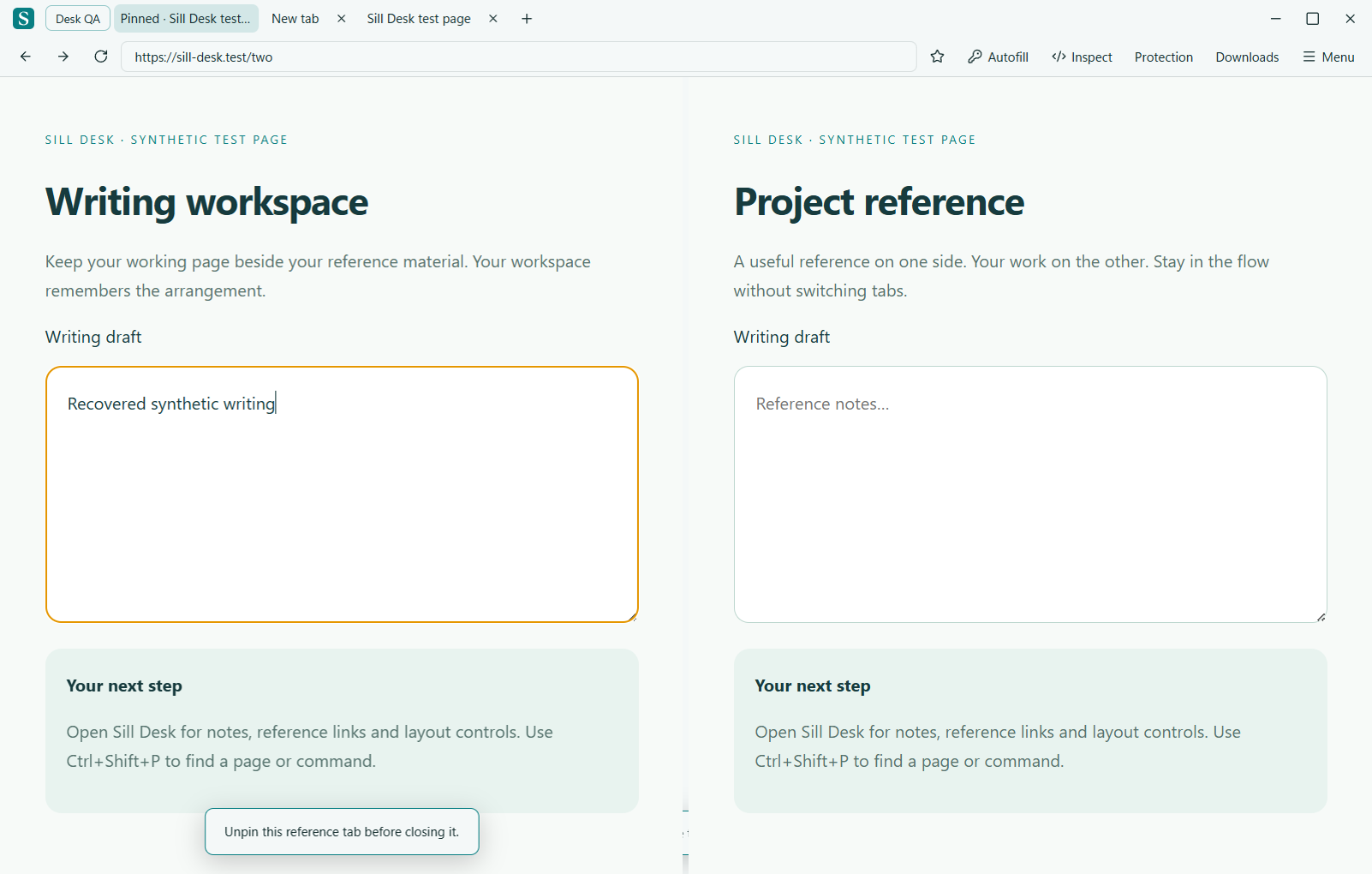
Choose one page or two side by side, select a reference tab and use 35/65, 50/50 or 65/35 pane widths. Each workspace remembers its layout after restart. Both visible panes stay awake.
Choose Separate sign-ins when creating a workspace. Cookies and site storage stay in its own session. Existing workspaces keep their shared session. Persistent website cookies remain across restarts; session-only cookies follow the site’s expiration behavior.
History and the local password/autofill vault remain shared across Sill. Tabs cannot move or merge across different isolated sessions; open their address in the other space instead.
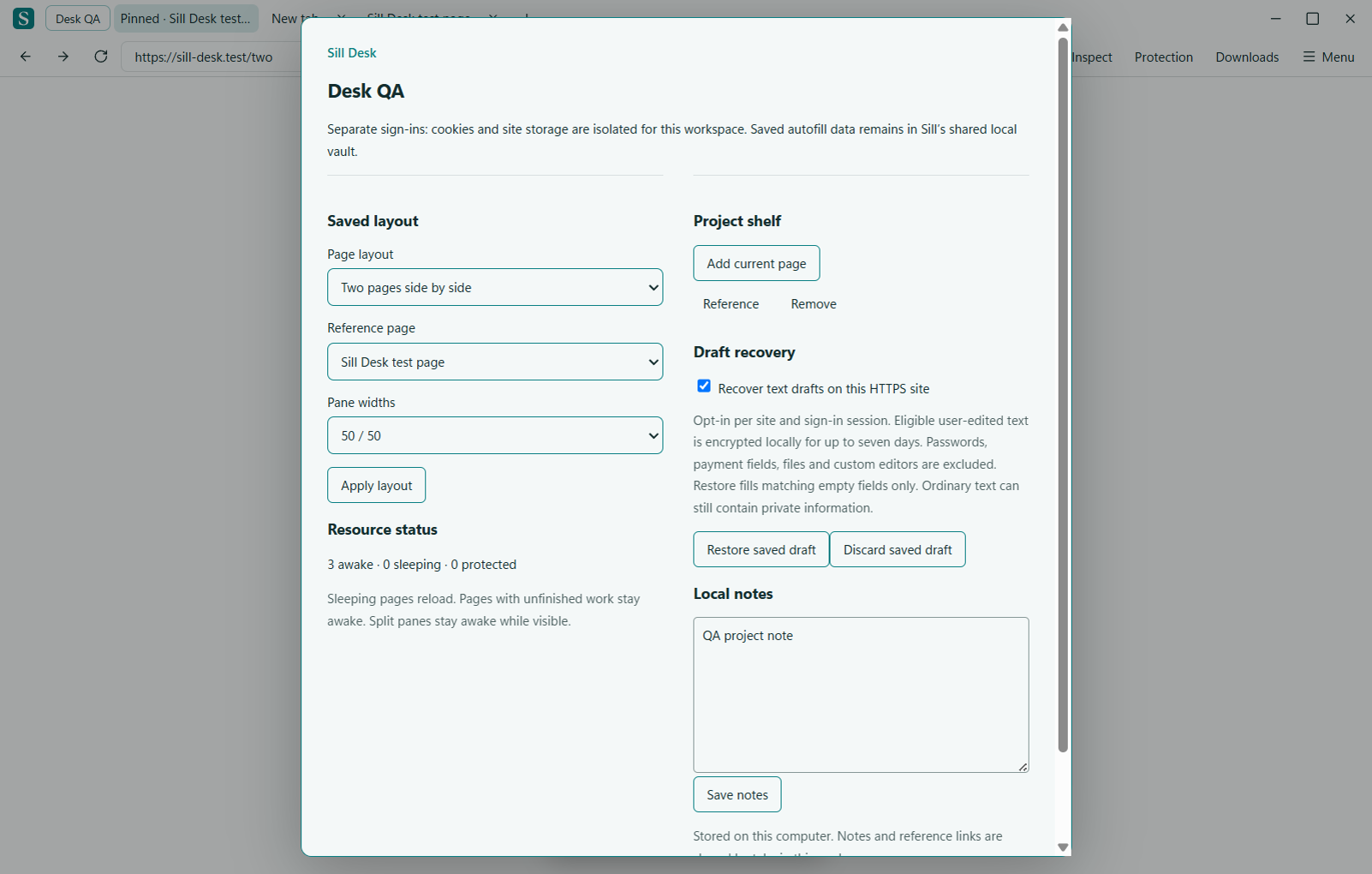
Add reference links and write local project notes. Notes save as you type. Pin reference tabs to keep them first in the tab strip and protect them from accidental closing. Unpin to close.
Choose Blank, Development, Research or Writing when creating a workspace. Development opens MDN and GitHub; Research opens Wikipedia; Writing starts with a blank page ready for your preferred writing site.
Resource counts show awake, sleeping and protected tabs. Safe inactive pages can sleep; unfinished or uncertain pages stay awake. Memory use depends on your pages.
Ctrl+Shift+P opens the command palette. Search tabs across workspaces, switch projects or run a browser command. Use arrow keys and Enter to select. Ctrl+Alt+D opens Sill Desk; Ctrl+Alt+W opens Workspaces.
Enable text draft recovery for an HTTPS site in Sill Desk. User-edited ordinary text inputs and textareas are encrypted locally with Windows account protection, retained for up to seven days, and bounded to a 4 MB draft store. After a crash or restart, choose Restore saved draft.
Restoration requires the same tab and page address, matching field identity and an empty field. It does not submit forms or replace newer text. Passwords, payment fields, personal-data fields recognized by name, files, autocomplete-off fields, embedded frames, rich text and custom editors are excluded. Ordinary text can still contain private information; enable recovery only where you want it saved.
Disabling recovery deletes saved drafts for that site’s workspace session. Discard saved draft removes the current tab’s saved drafts. Project notes and shelf links are local session data, not part of the encrypted draft store.
Pair Desk with Glide to keep two pages visible while browser controls retreat.
Explore Sill Glide → · Explore Workspaces → · Follow the build →Project notes stay with the workspace where you edited them. Draft recovery follows unique field identities after a page inserts other fields and reports what it restored. Existing text is kept. Command search supports multiple words in any order.
Draft recovery remains opt-in, limited to eligible text fields on HTTPS pages. It cannot restore every editor or form.
Read the beta22 changes →