Your size. In real time.
Move from roomy 88-pixel chrome to a 36-pixel compact frame. The balanced default is 72 pixels. The preview follows your slider movement; releasing it saves your size.
THE SILL BROWSER
Meet SillMeet Glide and Workspaces. Follow the build.Sill DeskSaved layouts, project shelves and separate sign-ins.Sill WorkspacesEvery project at home. Safe tabs sleep; unfinished work stays awake.Every featureExplore the tools built into Sill.Appearance & settingsSearch settings. Preview a smaller chrome.Sill GlideYour frame, only when you need it.See it in actionBrowser captures and responsive views.Get SillPortable Windows x64 beta.A compact browser for developers and people who get things done.
Explore Sill GlideMAKE ROOM FOR YOUR WORK
Sill DeskSaved layouts, project shelves and separate sign-ins.Sill WorkspacesNamed projects, intelligent sleeping and unfinished-work protection.Focus with GlideHover, pin and choose your edge.Protection & autofillWork with your saved data and fewer distractions.Developer toolkitColors, captures, Inspect and shortcuts.Make it yoursChrome size, themes and searchable settings.Named tab sets, intelligent sleeping and protection for unfinished work. Pair Workspaces with Glide to make room for the page.
Explore Sill WorkspacesGET COMFORTABLE WITH SILL
Development logFollow the build from day one.Subscribe by RSSDevelopment updates in your feed reader.Setup & helpDownload, import, update and troubleshoot.Privacy & storageUnderstand what stays on this computer.Screenshot galleryDesktop, tablet and phone website views.Beta capabilitiesWhat works today and current limits.Straightforward answers about your browser, your profile and your tools.
Read the guideSill / Make it yours
Drag the chrome-size slider and watch your browser make room. Find a setting in seconds, then make Sill feel like your workspace.
Try the Windows beta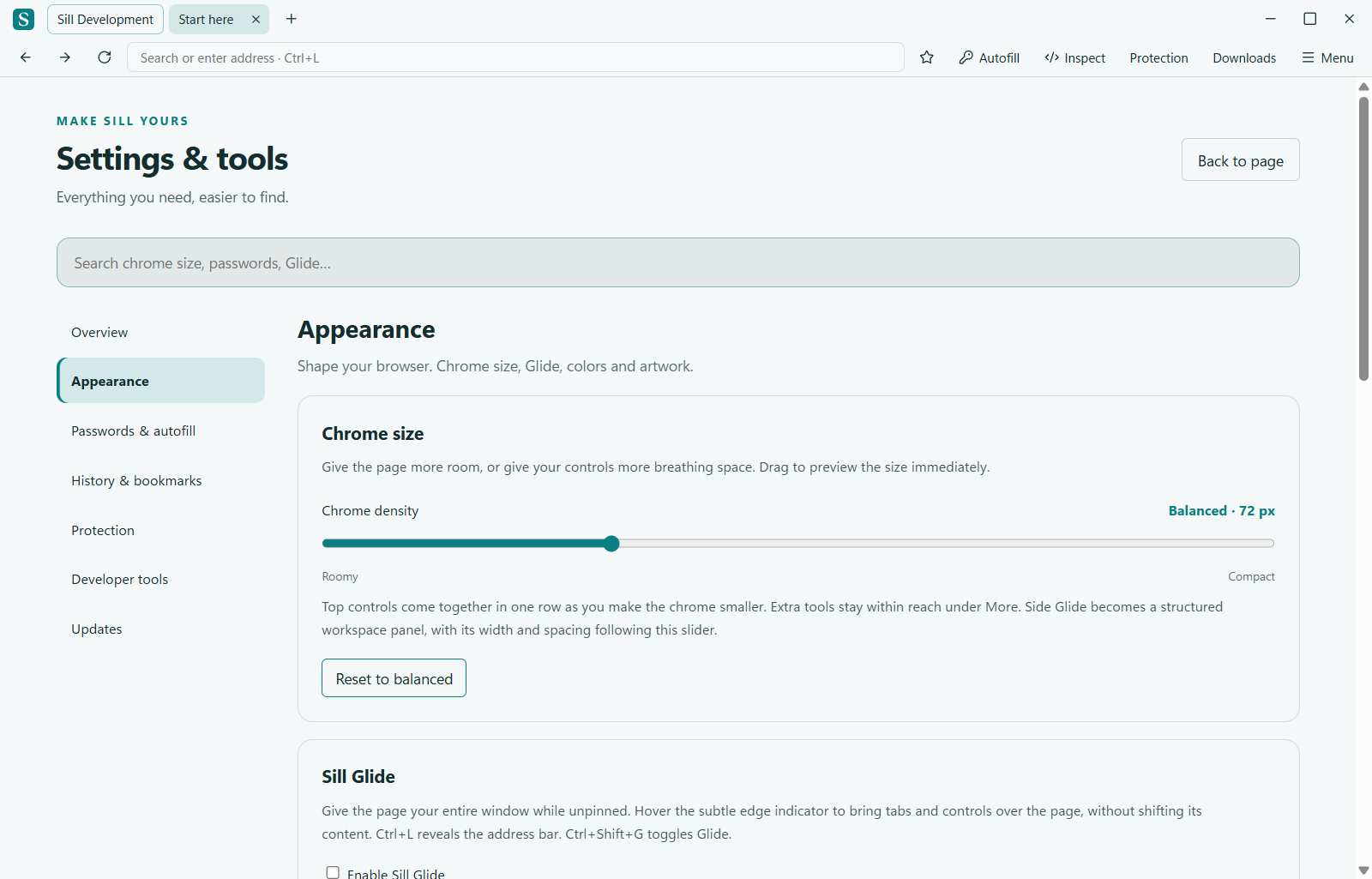
Move from roomy 88-pixel chrome to a 36-pixel compact frame. The balanced default is 72 pixels. The preview follows your slider movement; releasing it saves your size.
As top chrome gets smaller, the workspace, tabs, navigation, address and menu consolidate into a single row. Autofill, Inspect, bookmarks, protection and downloads remain accessible in the labeled More menu and through keyboard shortcuts.
Search across settings, then open the matching category and control. Appearance, saved data, browsing history, protection, developer tools and updates have clear places in the sidebar.
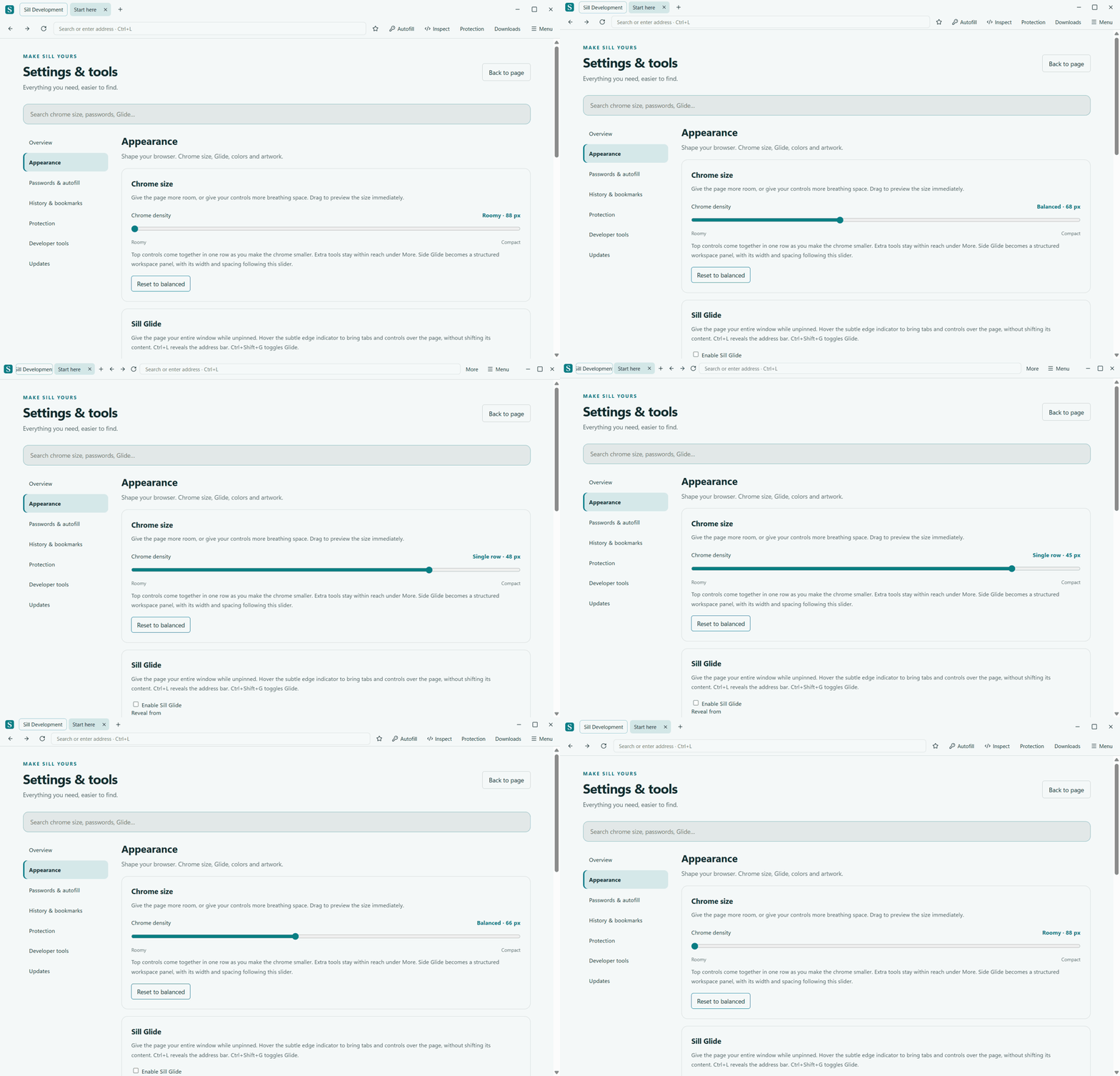
Pinned top Glide reserves exactly the height you choose. Unpinned Glide stays over the page. Side Glide uses grouped controls, a scrolling tab list and a live width slider. Resizing the chrome keeps your page text and settings text at their normal sizes.
Explore Sill GlideTwenty color palettes, eight illustrated skins and custom colors stay within reach. Add transparent PNG artwork over your chosen color, or use a clean surface.
Explore the themes · Setup and helpNew in beta24
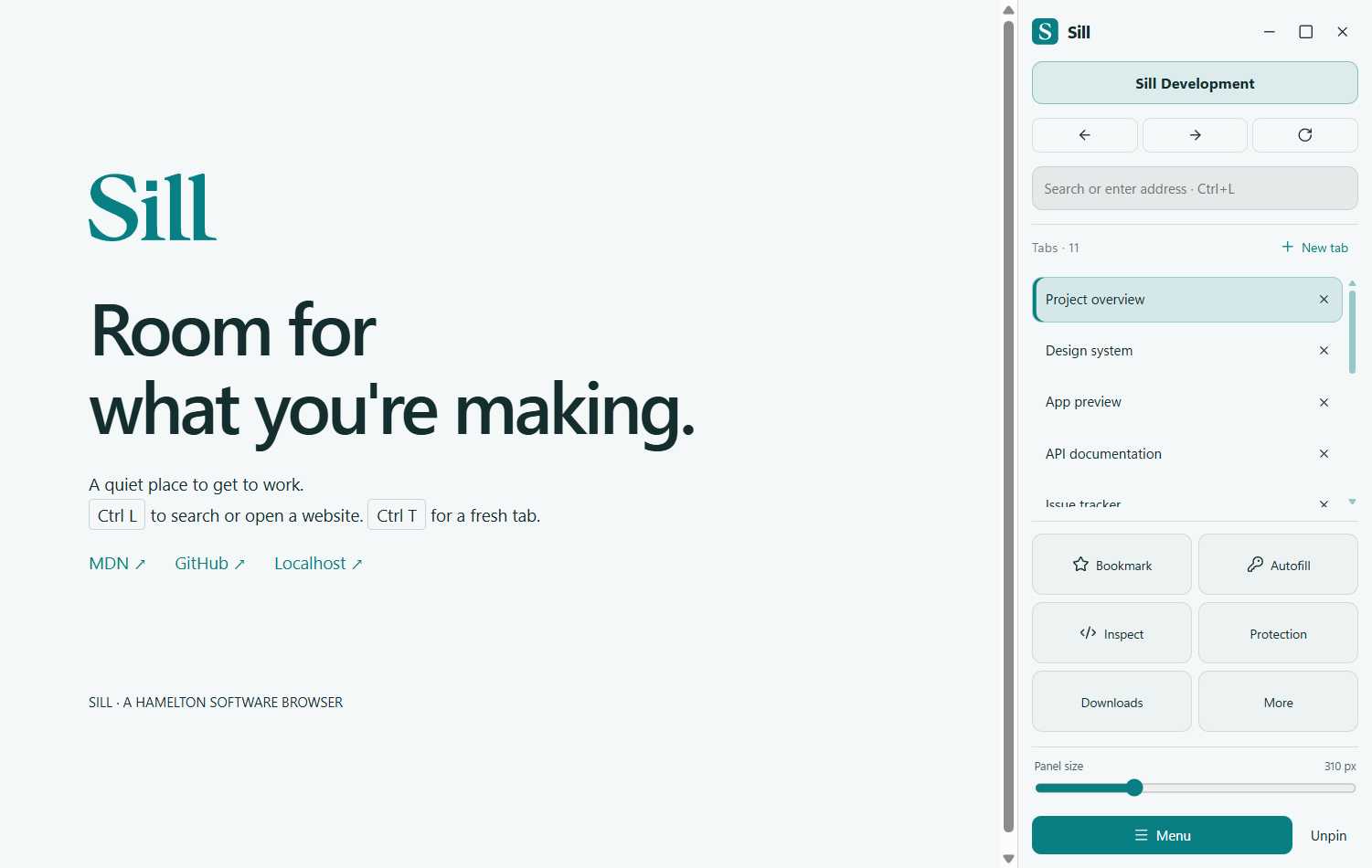
Left and right Glide now use a structured workspace panel. Navigation and the address sit together, tabs scroll in their own space, and labeled tools stay within reach at the bottom. Your workspace and window controls have clear places at the top.
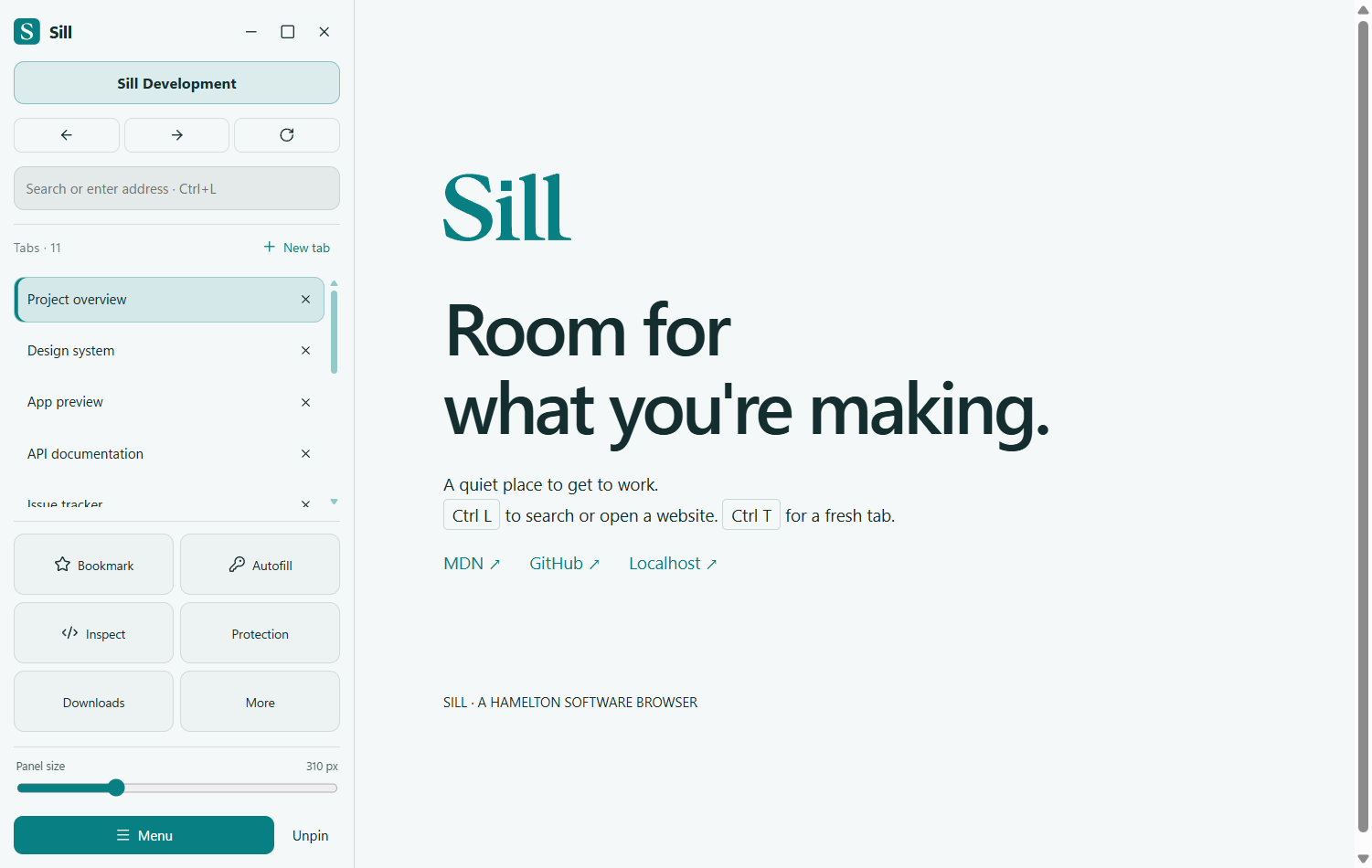
Drag Panel size directly in the side panel to move smoothly between 336 and 248 pixels wide. The balanced width is 310 pixels. Pinning reserves the chosen width; unpinning gives the page the whole window.