
Files belong
to projects.
A download list should remember more than a filename. Keep the project, reference and reason beside the file.
Keep the context
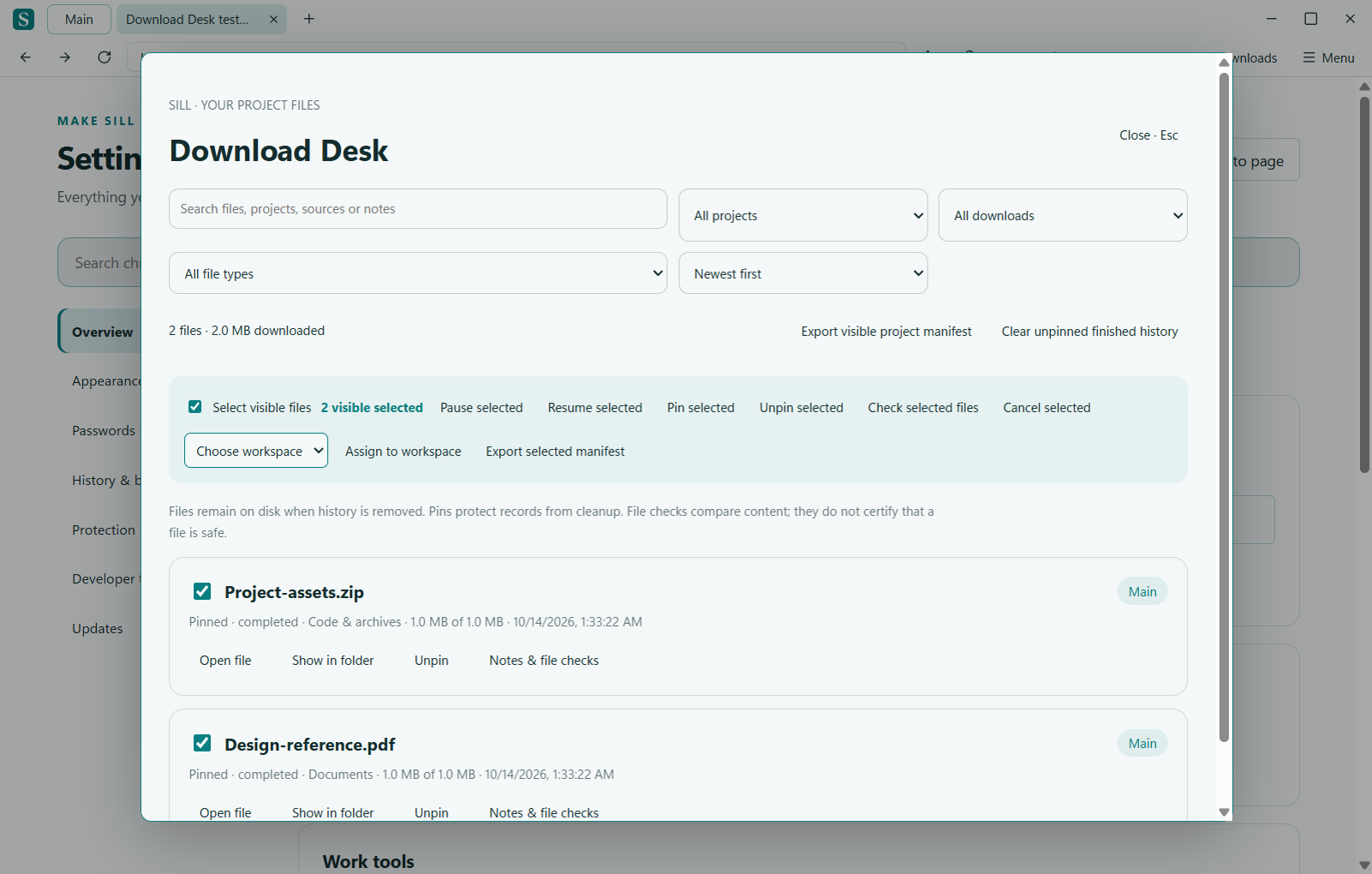
Downloads started from a page record its workspace and source title. Search filenames, notes and sources; filter by project or transfer status. Existing records remain in General when no source context is available.
Pin the useful files
Protect up to 100 records from history cleanup. Add a local project note so you can remember why a file matters. Removing history never deletes the downloaded file.
Check what changed
Record a SHA-256 baseline and compare the file later. Paste a publisher’s digest to check whether the local content matches. Missing files and changed metadata are reported separately. A match is a content comparison, not a malware verdict.
Share an inventory
Export the visible records as a JSON project manifest. It includes filenames, project names, byte counts, source website origins and recorded digests. Private notes, local paths and URL paths, queries and fragments are excluded. Review filenames and project names before sharing.
Work with the whole selection.
Select visible records to pause, resume, pin, unpin, check or assign to an existing workspace together. Only selected files in the current filtered view are affected. Cancellation asks for confirmation; ineligible records are skipped. Unsaved note and digest edits survive list refreshes while Sill is open.
Pause, resume when the server supports it, cancel or retry. Open a completed file or reveal it in its folder. A visible save warning and retry control help you recover when download history cannot reach disk.