
Find your next action
Search tabs, workspaces and actions with the keyboard command palette.
Learn moreBrowser
Meet SillA closer look at the browser.Sill GlideControls that move out of your way.Sill DeskLayouts and project reference shelves.WorkspacesNamed projects and sleeping tabs.Sill AirlockReview tabs before you pause them.AppearanceThemes, skins and live chrome sizing.Download DeskProject files, notes and SHA-256 checks.All featuresCapabilities and current beta limits.ScreenshotsActual captures from tested builds.Help shape Sill
Try the Windows beta, follow development and tell us what needs to work better.
Join the tester program ↗Learn & support
DocumentationSetup, workflows and troubleshooting.Support boardsHelp, discussions and beta feedback.Beta tester programJoin the Windows testing program.Tester sign-inAccess the private beta boards.Windows first launchUnderstand the unsigned beta warning.Quick-start guideA concise tour of the browser.Report an issueSend a private report to the developer.Privacy & storageWhat is saved and where.Help shape Sill
Try the Windows beta, follow development and tell us what needs to work better.
Join the tester program ↗News & resources
Development logEngineering notes and plain-language updates.Release notesWhat changed in each beta.Email updatesFollow development in your inbox.RSS feedSubscribe with your feed reader.Press kitFacts, screenshots and editorial contact.Brand kitOfficial assets and identity guidance.Site directoryFind every public Sill resource.Help shape Sill
Try the Windows beta, follow development and tell us what needs to work better.
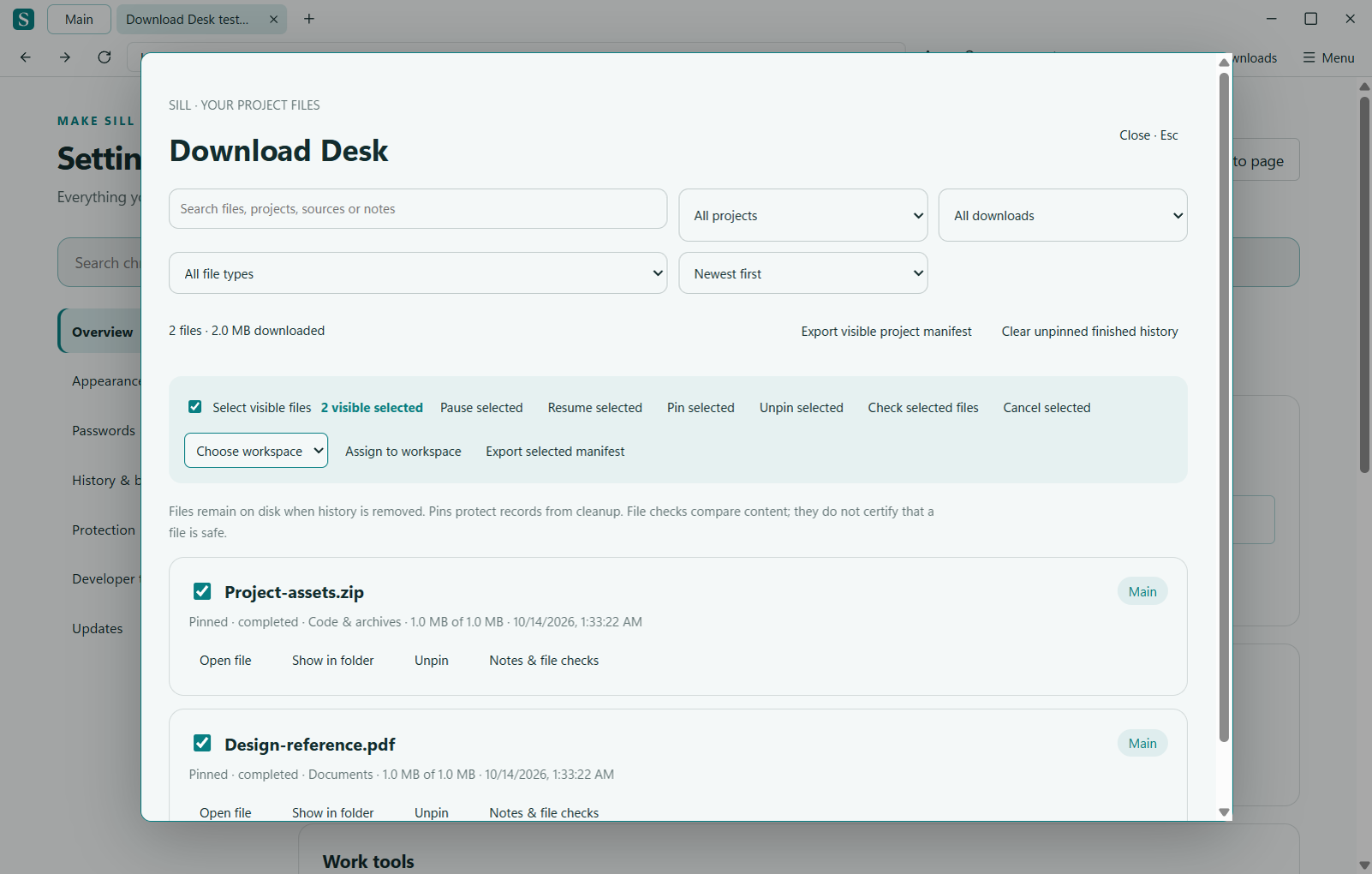
Join the tester program ↗Select project files, control transfers together, keep notes and compare SHA-256 fingerprints without an extension.
0.1.0-beta.33 · Windows x64 · unsigned portable beta
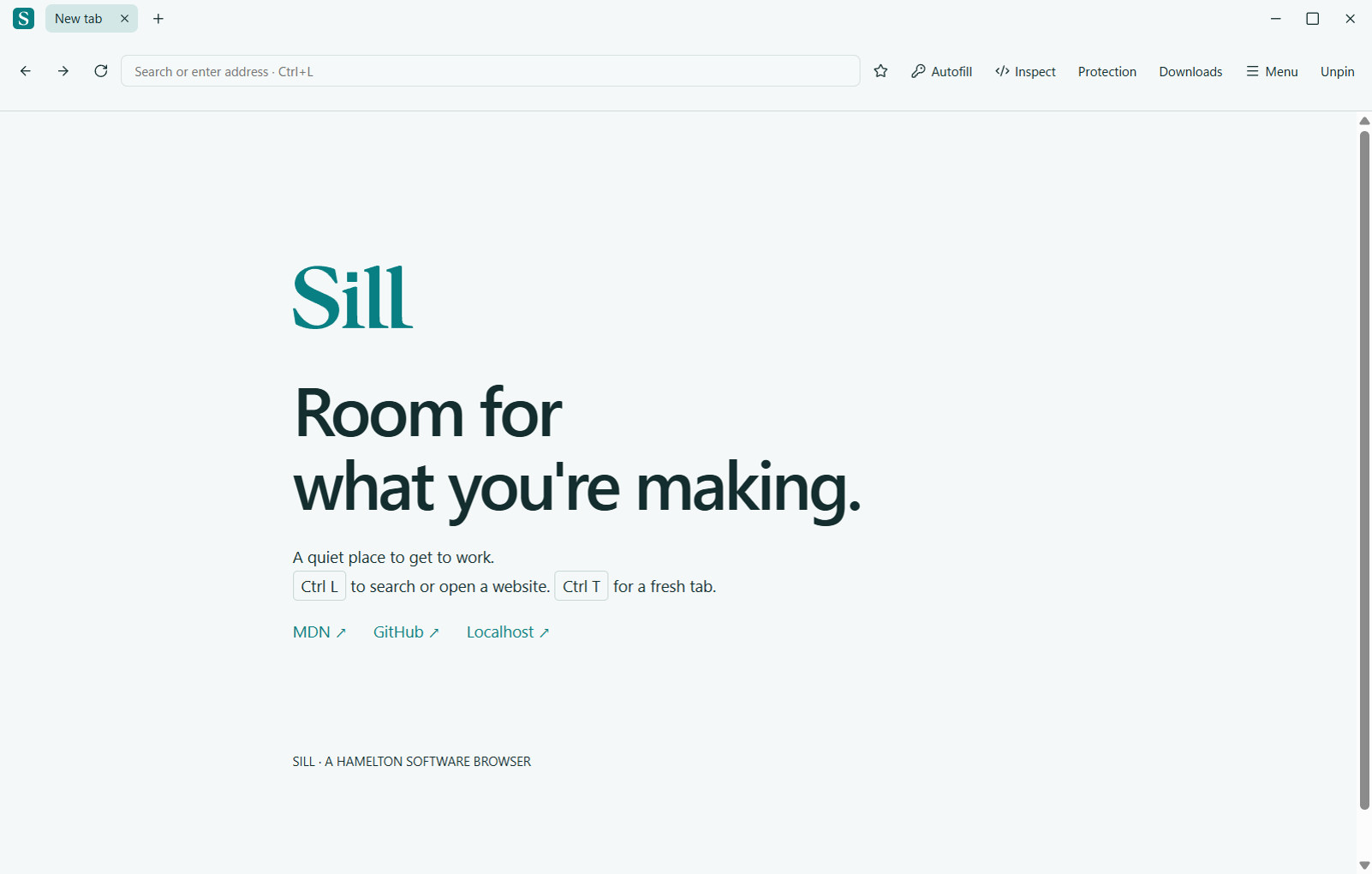
Let browser controls retreat to the edge. Hover to bring them back, or pin them when you need them.
0.1.0-beta.33 · Windows x64 · unsigned portable beta
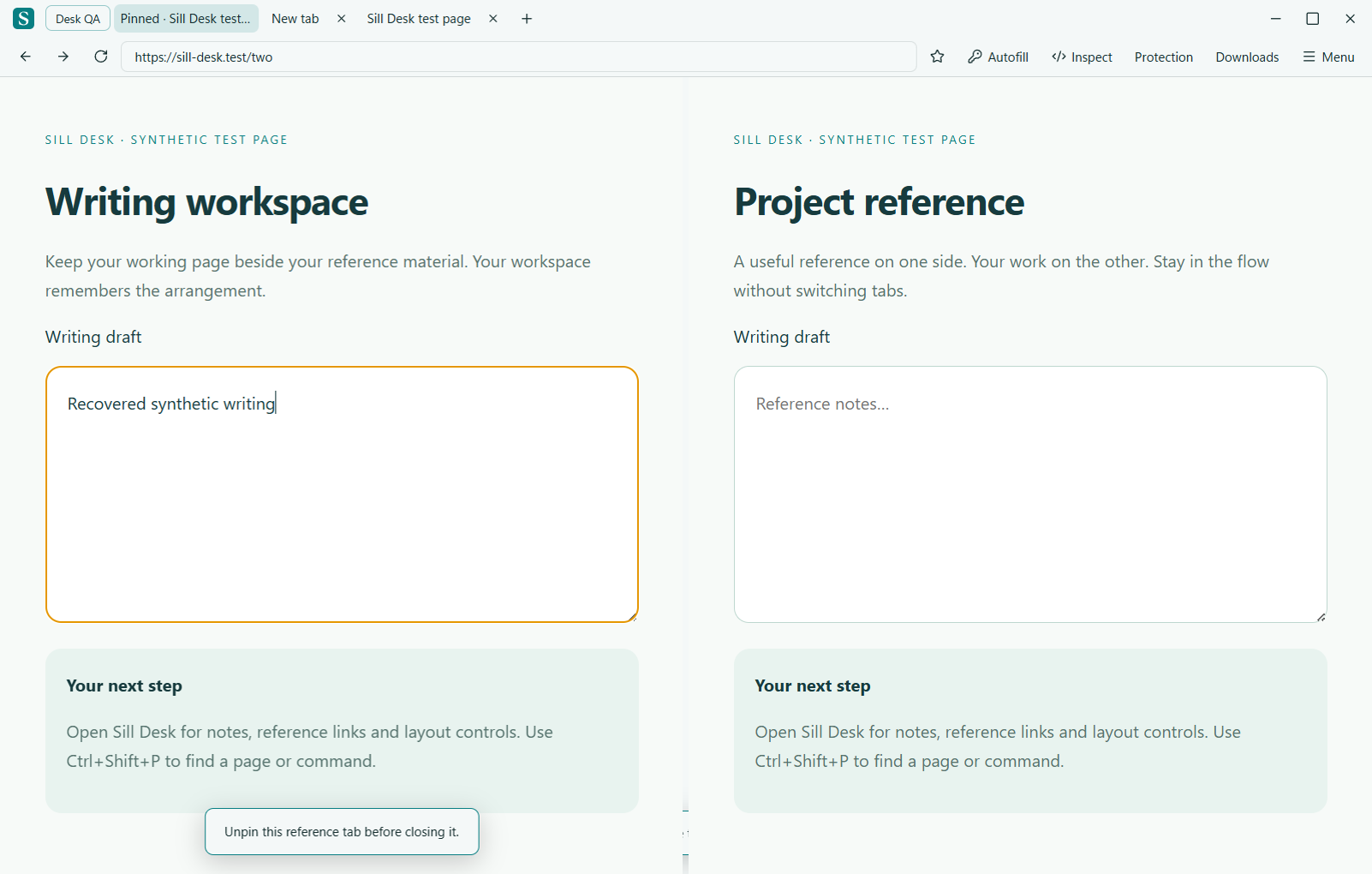
Switch named workspaces, keep references nearby and arrange two pages side by side.
0.1.0-beta.33 · Windows x64 · unsigned portable beta
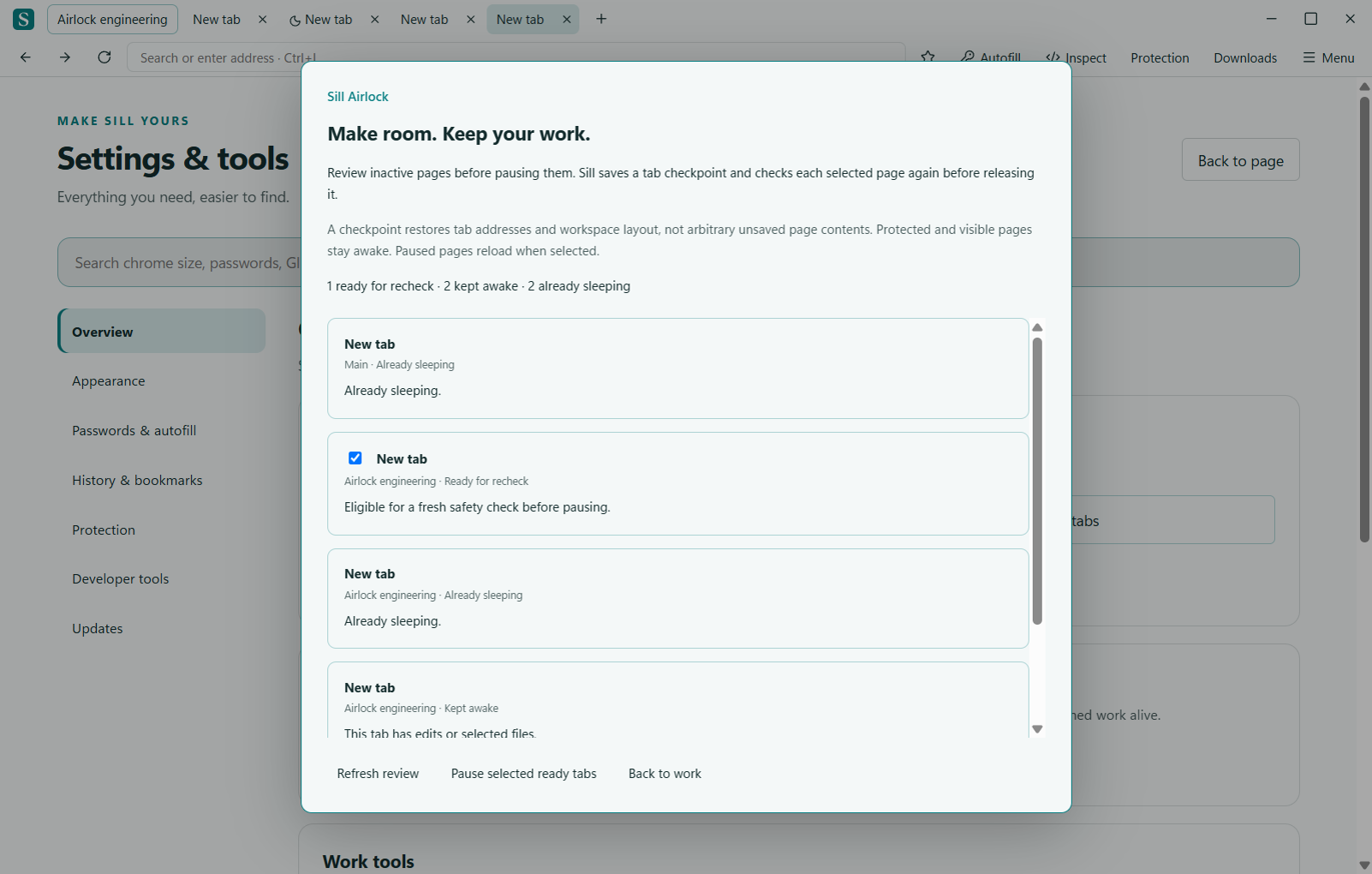
Review tabs before pausing them. Airlock checks for activity and saves a checkpoint before eligible tabs sleep.
0.1.0-beta.33 · Windows x64 · unsigned portable beta
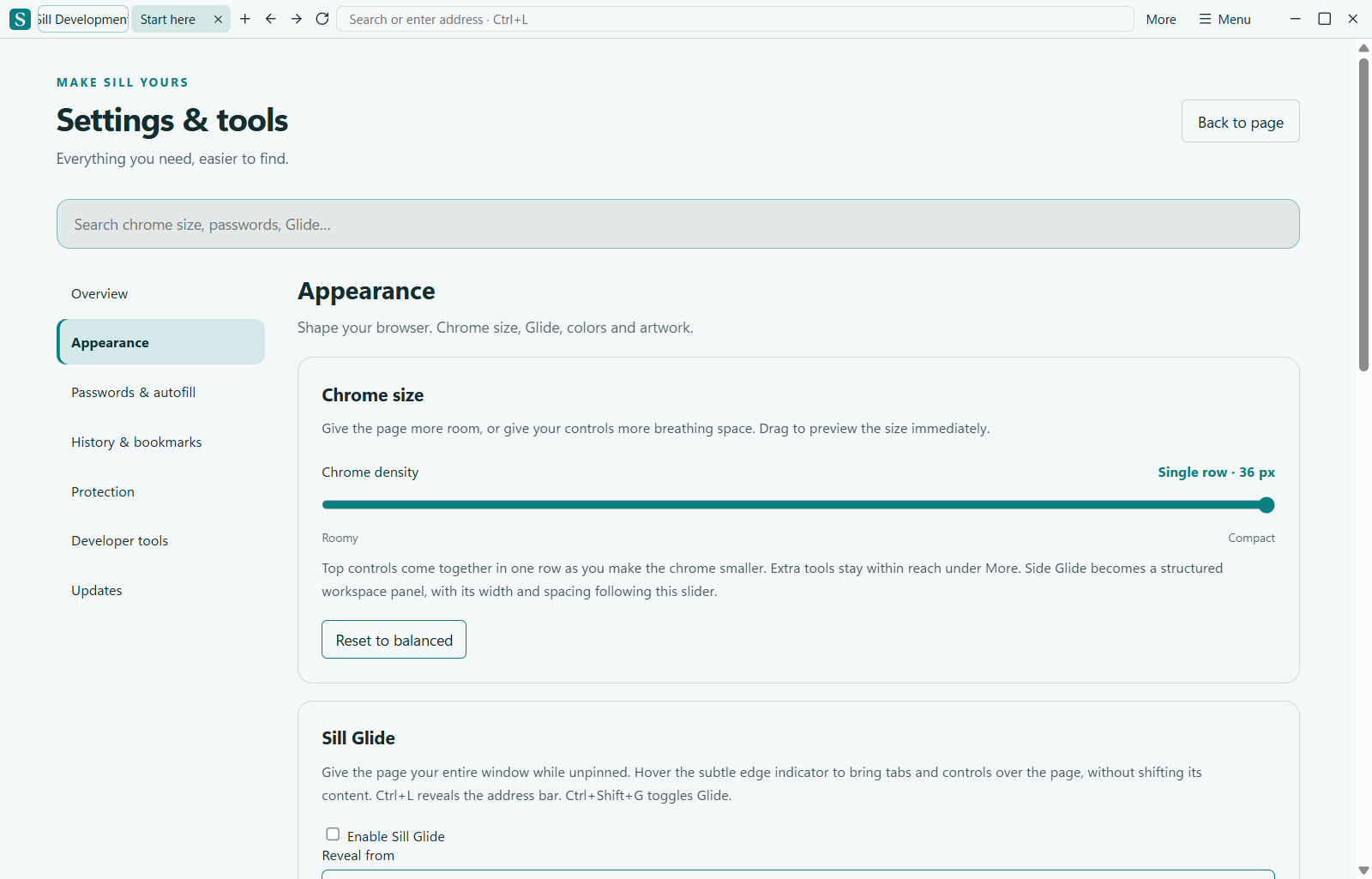
Resize Sill’s browser controls in real time. Compact the top bar or set the width of a side panel.
0.1.0-beta.33 · Windows x64 · unsigned portable beta
Join the Sill beta program. Try it on Windows, share what works and get access to the private tester boards.
Glide gives the page room to breathe. Browser controls return when you need them.
Place Glide at the top, left or right. A small edge indicator keeps it within reach. Hover to reveal the controls; they retreat after you move away.
Pin Glide for a steady toolbar, or use the live size control to make the browser frame more compact.
Explore Sill GlideGroup tabs by project, give each space a name and move between them without losing your place.
Desk remembers layouts and offers a workspace shelf for links and local notes. Optional separate sessions help keep client or personal sign-ins apart.
Airlock shows eligible and protected tabs before you pause them. Unsaved website work is not guaranteed to survive a crash; save it through the website itself.
Explore Workspaces & DeskReview what can sleep and what should stay awake. A visible recovery status helps you know when Sill has saved your project records.
Sill checks eligible tabs again before pausing them. Failed checkpoint saves keep the selected pages loaded.
Recovery saves tab addresses, layouts and local project notes. It supports up to 200 tabs; opt-in text draft recovery is separate and limited to eligible fields.
Explore Sill AirlockA compact frame, practical tools and an appearance you can make your own.
Search tabs, workspaces and actions with the keyboard command palette.
Learn moreInspect a page, pick a color or capture a page, selection or scrolled view.
Learn moreTwenty plain palettes, artwork skins and transparent custom backgrounds.
Learn moreRead the engineering notes, understand the changes and follow the next beta.
Betas31–32 build Download Desk around project context, pins, notes, SHA-256 comparison and inventory exports. Selected files now support bulk controls and workspace assignment; editor drafts survive list refreshes, and failed history saves remain visible. Beta33 fixes overlapping tab titles in compact chrome.
Read the updateBetas 28–30 harden recovery writes, make failed checkpoints visible and prevent partial checkpoints for sessions larger than 200 tabs. Website cache validation and branded update emails were also corrected. The public site now has a focused homepage, searchable documentation and private tester boards.
Read the updateSill 0.1.0-beta.33 is an unsigned, portable Windows x64 beta. Windows 11 has been tested; Windows 10 validation is still pending. No macOS or Linux build is available yet.
162.1 MB · Early software: expect bugs and changes.
Updating? Save unfinished work, close Sill and extract the new build into a fresh folder. Read installation and updates.
a1b230ee4647cc9e29f125c068f7073c52978fd6469461f5c76f00a584c1b435