
Airlock and sleeping tabs
Review eligible tabs before pausing them.
Open a review
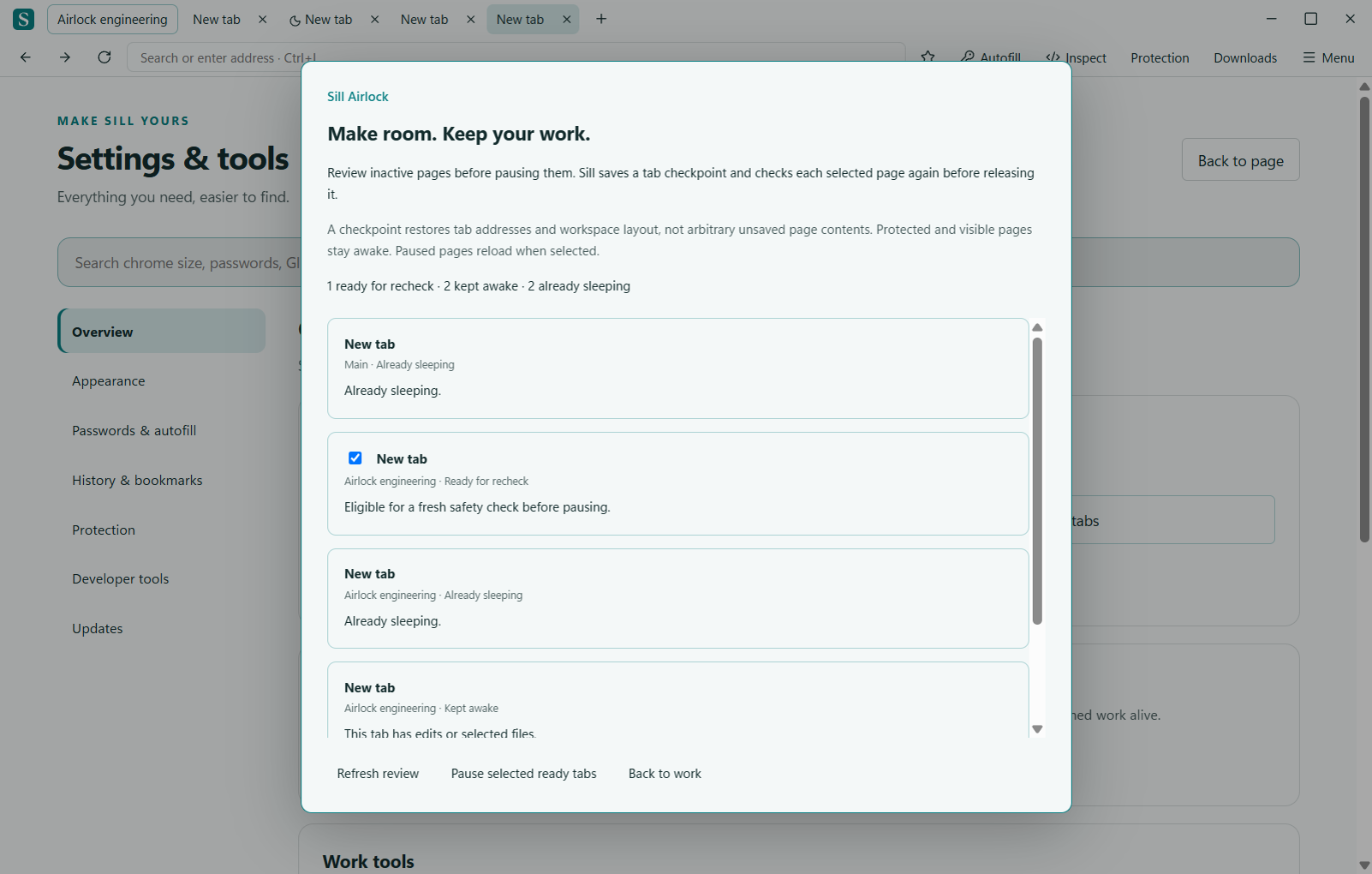
Press Ctrl+Alt+A to open Airlock. Read the status of each candidate tab and select the tabs you want to pause. Protected or active pages can remain awake.
Checkpoint and recheck
Airlock saves a session checkpoint and checks the chosen tabs again before pausing them. If the checkpoint cannot be saved, the selected tabs remain loaded. A new activity signal may also change a tab’s eligibility.
Sleeping is not a backup
A sleeping tab can be reopened from its saved address. A website may lose live state when its process is unloaded. Save website work before relying on sleeping, recovery or a restart. Sill cannot identify every kind of unsaved work in every web application.
Airlock feature and limitations · Recovery troubleshooting
Need a hand? Visit the support boards or send a private report.
← All documentation